


Streamline work request handling
Work request management from MEX helps teams log, track, and escalate CMMS maintenance requests easily. Submit from any device, stay visible, and ensure every job’s done.

Easy submissions
Staff can lodge requests on any device, attach photos or notes, and give maintenance full context to reduce back and forth.

Complete visibility
Track and manage every work request as it moves through the process, so planners can prioritise clearly.

Faster resolutions
Cut downtime with quick responses and streamlined handovers. Requests become work orders efficiently, keeping assets running.

Work request hub
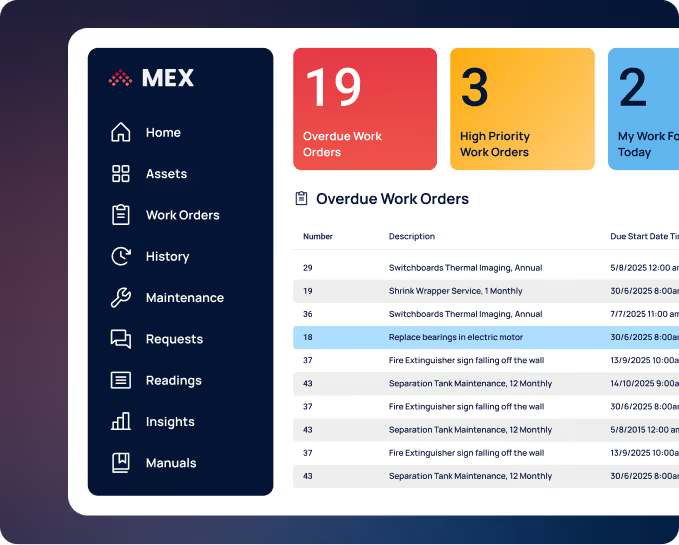
MEX work request management centralises all requests in one dashboard to improve visibility and speed maintenance response.

Multi-channel submission
Lodge work requests on web or mobile and attach photos, videos or forms for context.

Automated approvals & routing
Configure approval flows that route requests to the right people based on cost and limits.

Instant work orders
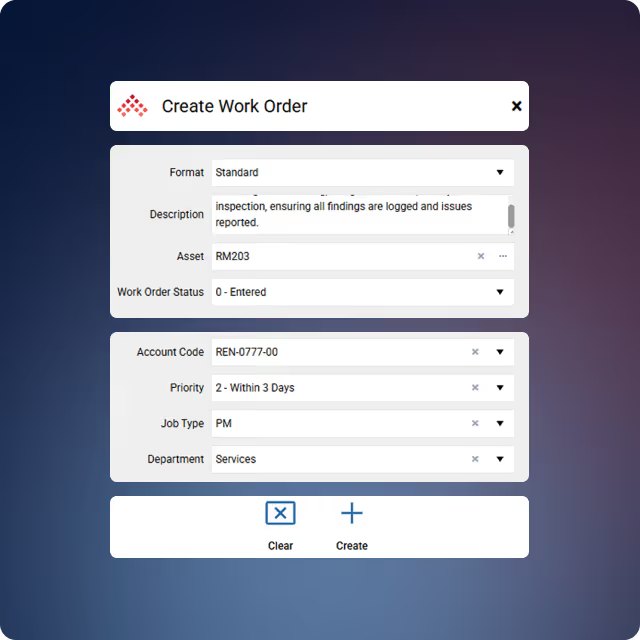
Approve a request and instantly create a work order with linked details and context.

Live status tracking
Requesters and planners can follow updates, comments, and next steps as they happen.

Standard job templates
Create templates for recurring tasks so common issues can be raised as work orders fast.

Notifications & alerts
Custom alerts keep teams informed at key steps—approval, escalation, and completion.

Turn requests into work orders
Link new requests to open work orders to avoid duplicates and save admin time.
MEX CMMS FAQs
Answers to commonly asked questions about MEX features.
Yes. Users can attach photos, videos, or documents to requests so maintenance teams have full context before starting the job.
Yes. Any authorised staff member can lodge a request through MEX without needing full system access.
Yes. MEX logs every submission, approval, and completion for full visibility and audit compliance.
MEX consolidates all new requests in one dashboard, helping planners spot duplicates and ensure every issue is handled.
.svg)
Streamline your work requests
Simplify CMMS work request management with MEX. Capture, track, and close jobs with ease.